
Sign in

Tired of your iPhone locking too soon? Change this one setting

If your iPhone screen keeps turning off while you’re reading or cooking, a quick setting change can help keep it awake longer.

Published on: Nov 2, 2025, 09:00:04 IST
Share
Share via
  • facebook
  • twitter
  • linkedin
  • whatsapp
Copy link
  • copy link

Have you ever found your iPhone screen going dark in the middle of reading a recipe, news story, or e-book? It happens to many users, especially when the device isn’t being touched for a short time. While this function helps save battery and protect the display, it can interrupt tasks that require the screen to stay active. Fortunately, Apple allows users to modify this setting easily through the iPhone’s Display options.
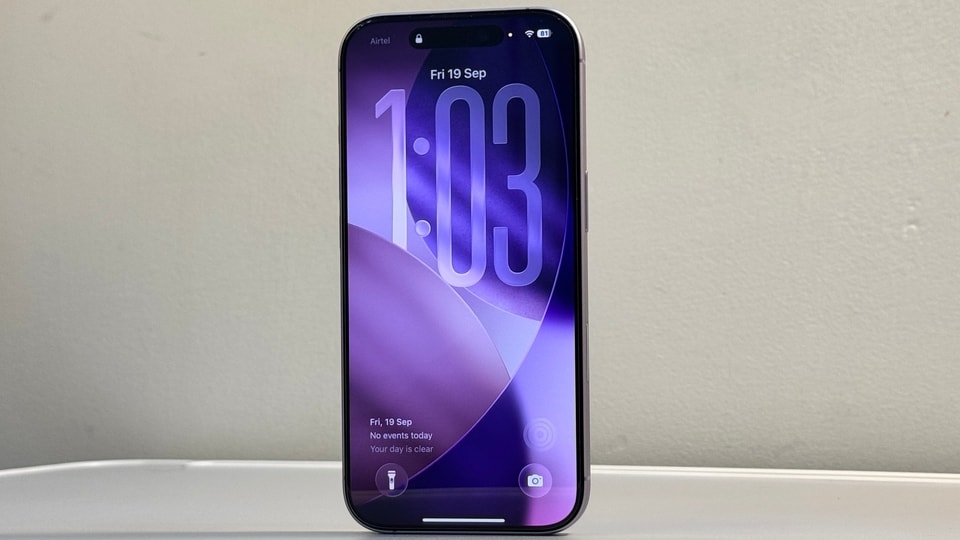
How to keep your iPhone screen from turning off automatically. (HT)
MD Ijaj Khan

Ijaj Khan is a technology journalist and Senior Content Producer at Hindustan Times, with over three years of experience covering the consumer technology industry. His work spans smartphones, laptops, wearables, gaming, appliances and AI - from hands-on reviews, comparison and buying guides to breaking news and in-depth features that help readers cut through the noise and make informed decisions. Before joining HT Tech, he worked with Jagran New Media, where he sharpened his instincts for fast-paced digital reporting. He holds a Post Graduate Diploma in English Journalism and Mass Communication from the Indian Institute of Mass Communication (IIMC), Delhi. Whether he's testing the latest flagship smartphone, tracking a major AI announcement, or putting a gaming laptop through its paces, Ijaj approaches every story with the same goal - making technology feel relevant and easy to understand for everyday users, not just enthusiasts. When he's not in front of a screen for work, he's usually travelling to a new city, hunting for great food, or keeping tabs on what's next in tech before everyone else catches on.

Read moreRead less

The feature behind this is called Auto-Lock, which automatically dims and locks the screen after a set period of inactivity, usually 30 seconds by default. While it plays a role in conserving battery and keeping your phone secure, you can change or disable it whenever you want.

Also read: Samsung Galaxy AI now supports 22 Indian languages including Gujarati and Hindi

How to Adjust the Auto-Lock Duration

Apple’s settings offer flexibility depending on your usage needs. You can either disable Auto-Lock completely or extend the time before your iPhone locks automatically. Here’s how to make the adjustment:

  • Open the Settings app on your iPhone.
  • Tap Display & Brightness.
  • Select Auto-Lock.
  • ‘Choose Never’ if you want to disable Auto-Lock completely, or pick a longer duration that suits your activity.

Also read: Realme GT 8 Pro tipped to launch in India on November 20: Check specs, features and more

Once this is done, your iPhone will remain unlocked for the duration you set, or indefinitely if you choose “Never.” However, keep in mind that leaving Auto-Lock off may reduce battery efficiency and leave your device open to unauthorised access if unattended.

When Low Power Mode Interferes

If your iPhone still locks unexpectedly after adjusting Auto-Lock, check whether Low Power Mode is enabled. This mode can override display settings to extend battery life. To keep the screen active, disable Low Power Mode in Settings > Battery.

Also read: Your next call could show the caller’s real name: Here’s why

You can also control screen dimming by turning off Auto-Brightness and adjusting brightness manually through the Control Center.

By managing these simple settings, you can ensure your iPhone screen stays on as long as you need, whether you’re following a recipe, reading an article, or monitoring live updates.

  • MD Ijaj Khan
    ABOUT THE AUTHOR
    MD Ijaj Khan

    Ijaj Khan is a technology journalist and Senior Content Producer at Hindustan Times, with over three years of experience covering the consumer technology industry. His work spans smartphones, laptops, wearables, gaming, appliances and AI - from hands-on reviews, comparison and buying guides to breaking news and in-depth features that help readers cut through the noise and make informed decisions. Before joining HT Tech, he worked with Jagran New Media, where he sharpened his instincts for fast-paced digital reporting. He holds a Post Graduate Diploma in English Journalism and Mass Communication from the Indian Institute of Mass Communication (IIMC), Delhi. Whether he's testing the latest flagship smartphone, tracking a major AI announcement, or putting a gaming laptop through its paces, Ijaj approaches every story with the same goal - making technology feel relevant and easy to understand for everyday users, not just enthusiasts. When he's not in front of a screen for work, he's usually travelling to a new city, hunting for great food, or keeping tabs on what's next in tech before everyone else catches on.Read More