
 E-Paper



10 Windows laptops that could challenge your idea of what an everyday laptop should offer
We'll be comparing 10 Windows laptops across productivity, portability, display quality and everyday performance to help you narrow down your next upgrade.

 Prefer HTon Google


Our Picks
FAQs
Our Picks
| Product | Rating | Price |
|---|---|---|
HP Omnibook 5 OLED (Previously Pavilion), Snapdragon X Processor 45 Tops (16GB LPDDR5x, 1TB SSD) 2K,16''/40.6cm, Win11, Office24, Silver, 1.59kg, fb0001QU, Multi-Day Battery AI LaptopView Details  | ₹78,990 | |
 | ||
Dell 15 AI Powered Laptop, Intel® Core™ Ultra 5 225H Processor, 16GB DDR5 RAM, 512GB SSD, 15.6" FHD Anti-Glare Display, Dedicated Copilot Key + Backlit Keyboard, Silver,Win 11 Home + MSO H&S'24,1.66kgView Details | ₹82,490 | |
| ||
ASUS Vivobook S14,Smartchoice,AMD Ryzen AI 5 330,16GB/512GB (Upgradeable),OLED,14"(35.5 cm),Win11,Office24,M365 Basic (1Y),Silver,1.4Kg,M3407KA-SF2501WS,50 Tops,Metallic Design,Next-Gen AI LaptopView Details | ₹93,990 | |
| ||
Dell Inspiron 3530, Intel Core i7 13th Gen-1355U, 16GB RAM, 512GB SSD, FHD, 15.6"/39.62cm, Windows 11, MSO 2021, Silver, 1.62kg, Inspiron 3530, Backlit KB, 15 Month McAfee, Thin & Light, LaptopView Details | ₹92,990 | |
| ||
ASUS Zenbook 14 (2026),Smartchoice,Intel Core Ultra 5 225H,16GB RAM,1TB SSD,OLED,Touchscreen,14"(35.5 cm),Win 11,M365 Basic(1Y), Office 24,Ponder Blue,1.28 Kg,UX3405CA-QL1014WS,Thin & Light LaptopView Details | ₹1.25L | |
| ||

Research-Backed Choices
Every product we recommend is chosen through a combination of Primary Research and Secondary Research.
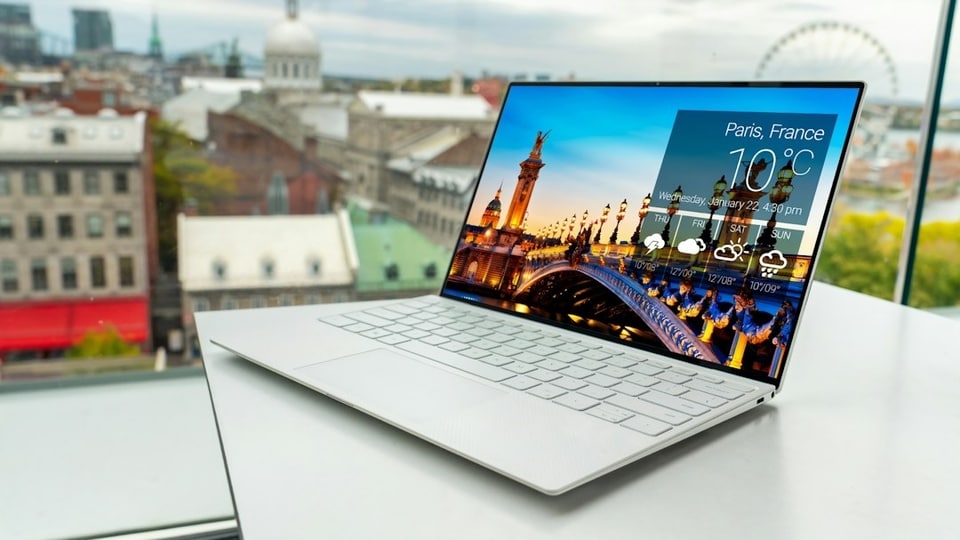

Choosing a Windows laptop in current times is no longer just about picking a processor and checking the amount of RAM. Display quality, battery life, portability and the kind of work you do can make a massive difference to everyday use. An OLED screen may appeal to someone who spends hours reading or watching videos, while a business-focused laptop may be a better fit for office work, coding and frequent travel. AI-focused processors also feature in newer models, although their benefits depend on the applications you use. This article is going to bring together 10 Windows laptops from HP, Dell, ASUS, Lenovo and Samsung, ranging from slim OLED models to conventional productivity machines.
Factors to consider when buying a Windows laptop
- Processor and workload: For documents, browsing and video calls, a mainstream modern processor is usually sufficient. Coding, heavier creative applications and sustained multitasking may benefit from a more capable CPU. Check software compatibility if you are considering an ARM-based model.
- Display quality: OLED panels offer deep blacks and strong contrast, while IPS displays can be practical for office work. Also compare resolution, brightness, refresh rate and whether the screen supports touch.
- RAM and storage: Aim for at least 16GB RAM if you regularly keep multiple applications and browser tabs open. A 512GB SSD suits many users, while 1TB offers more room for large projects and offline files. Check whether memory can be upgraded later.
- Portability and battery life: A 14-inch laptop is usually easier to carry than a larger model, while a 15-inch screen gives you more working space. Compare official battery claims, charging options, weight and port selection before deciding.
Top 3 features of Windows laptops
| Windows laptop | Display | Processor | Standout feature |
|---|---|---|---|
| HP OmniBook 5 OLED | OLED | Snapdragon X | Lightweight design |
| Dell 15 AI-powered | 15.6-inch, configuration-dependent | Core Ultra 5 225H | 16GB DDR5 RAM |
| ASUS Vivobook S14 | 14-inch OLED | Ryzen AI 5 330 | Compact form factor |
| Dell Inspiron 3530 | 15.6-inch Full HD | Core i7-1355U | Full-size work setup |
| ASUS Zenbook 14 OLED | 14-inch OLED | Core Ultra 5 225H | Thunderbolt 4 |
| Lenovo Yoga Slim 7 Aura Edition | 14-inch OLED on referenced variant | Core Ultra 5 | Slim design |
| Samsung Galaxy Book6 | WUXGA IPS on referenced variants | Core Ultra, exact model to confirm | Dolby Atmos audio |
| HP OmniBook X Flip OLED | OLED touchscreen | Core Ultra 5 226V | Convertible hinge |
| Lenovo IdeaPad Slim 3 | 15.3-inch WUXGA on referenced variant | Core Ultra 5 322 | Anti-glare display |
| Lenovo ThinkBook 14 | Exact variant to confirm | Ryzen 5 220 | 1TB storage |
1. HP Omnibook 5 OLED (Previously Pavilion), Snapdragon X Processor 45 Tops (16GB LPDDR5x, 1TB SSD) 2K,16''/40.6cm, Win11, Office24, Silver, 1.59kg, fb0001QU, Multi-Day Battery AI Laptop
An OLED display and a lightweight design are the main reasons to consider the HP OmniBook 5 for everyday computing. It is positioned for users who want a portable Windows laptop for office tasks, browsing, video calls and entertainment. This Amazon listing is associated with an OLED configuration, but interested buyers should confirm the exact processor and memory variant before ordering, particularly if they rely on specialist Windows applications.
Specifications
Reasons to buy

- OLED technology can deliver deep blacks and strong contrast for films and other visual content.
- A lightweight design is convenient for commuting and carrying between workspaces.
- The portable format suits everyday productivity and entertainment.
Reason to avoid

- If this is an ARM-based configuration, some specialist applications and older peripherals may have compatibility limitations.
What are buyers saying on Amazon?
Buyers generally praise the OmniBook 5 for its OLED display, lightweight design, smooth everyday performance and impressive battery life. Some remain cautious about ARM software compatibility, so users who depend on particular professional applications should check support before making a purchase.
Why we picked it
The OmniBook 5 is worth considering if portability and OLED picture quality are higher priorities than gaming performance. It could suit students, office users and frequent travellers who want a laptop for everyday work and entertainment.
2. Dell 15 AI Powered Laptop, Intel® Core™ Ultra 5 225H Processor, 16GB DDR5 RAM, 512GB SSD, 15.6" FHD Anti-Glare Display, Dedicated Copilot Key + Backlit Keyboard, Silver,Win 11 Home + MSO H&S'24,1.66kg

Our Principles
Full Transparency
Every product review clearly lists the Pros and Cons, giving you a balanced view.
Brand Confidence
We focus on products from brands with a proven reputation and long-standing market trust.
The Dell 15 takes a practical approach to everyday productivity, pairing an Intel Core Ultra 5 225H processor with 16GB of DDR5 memory and a 512GB SSD. Its conventional laptop design and selection of ports suit desk-based work, office documents and multitasking.
Specifications
Reasons to buy
- The processor and 16GB RAM combination is suited to everyday multitasking.
- A 15.6-inch display gives documents and spreadsheets more room than a compact laptop screen.
- A useful selection of ports can reduce the need for adapters.
Reason to avoid
- The standard display options listed by Dell vary in brightness and refresh rate, so check the exact panel.
- Integrated graphics are not intended to replace a dedicated GPU for demanding games or heavy 3D work.
- The conventional chassis is less compact than a slim 14-inch laptop.
What are buyers saying on Amazon?
Reviews highlight reliable everyday performance, a comfortable keyboard, useful ports and good thermal behaviour. However, buyers find the display less vibrant than they would like, and battery life is not considered one of its strongest points.
Why we picked it
This Dell is worth comparing if you prefer a familiar 15.6-inch work laptop with a modern Intel processor, 16GB RAM and practical connectivity. It is geared towards office work and multitasking rather than specialised graphics workloads.
3. ASUS Vivobook S14,Smartchoice,AMD Ryzen AI 5 330,16GB/512GB (Upgradeable),OLED,14"(35.5 cm),Win11,Office24,M365 Basic (1Y),Silver,1.4Kg,M3407KA-SF2501WS,50 Tops,Metallic Design,Next-Gen AI Laptop
The ASUS Vivobook S14 combines a compact 14-inch design with an OLED panel and AMD Ryzen AI processing. This configuration includes 16GB RAM and a 512GB SSD, giving it a sensible foundation for multitasking, research, video calls and everyday creative work.
Specifications
Reasons to buy
- OLED technology is suited to readers and streamers who value contrast and rich colours.
- A 14-inch form factor is easier to carry than a full-size laptop.
- 16GB RAM supports keeping multiple everyday applications open together.
Reason to avoid
- The listed 60Hz refresh rate is less fluid than the 120Hz panels available on some premium laptops.
- The 300-nit panel may be less comfortable in bright environments.
- Integrated graphics are better suited to everyday creative tasks than demanding gaming.
What are buyers saying on Amazon?
Reviews praise the Vivobook S14 for its OLED screen, comfortable keyboard, long battery life, lightweight design and smooth multitasking. Brightness and reflections remain common complaints, however, so consider your working environment if you frequently use a laptop near windows or outdoors.
Why we picked it
The Vivobook S14 brings an OLED display to a portable productivity laptop with AMD Ryzen AI processing. It is worth considering for students and professionals who want a compact machine for office tasks, browsing and visual content.
4. Dell Inspiron 3530, Intel Core i7 13th Gen-1355U, 16GB RAM, 512GB SSD, FHD, 15.6"/39.62cm, Windows 11, MSO 2021, Silver, 1.62kg, Inspiron 3530, Backlit KB, 15 Month McAfee, Thin & Light, Laptop
The Dell Inspiron 3530 is a conventional productivity laptop built around the 13th Gen Intel Core i7-1355U processor, 16GB RAM and a 512GB SSD. Its 15.6-inch Full HD display offers a familiar workspace for spreadsheets, documents, web research and online meetings. It is a straightforward option for users who value everyday computing over a thin-and-light design or dedicated gaming hardware.
Specifications
Reasons to buy
- The Core i7 processor is suited to office work and regular multitasking.
- A 15.6-inch display gives users more room to work with multiple windows.
- The familiar keyboard and laptop layout suit everyday office routines.
Reason to avoid
- This is an older 13th Gen processor platform compared with newer Core Ultra options in this list.
- Integrated graphics limit its suitability for demanding games and GPU-heavy creative work.
What are buyers saying on Amazon?
Reviews generally find the Inspiron capable of handling office work and everyday tasks. Its straightforward design and keyboard are seen as practical strengths, although sustained workloads can expose cooling limitations, which may matter to users who regularly run demanding applications for long periods.
Why we picked it
The Inspiron 3530 is worth considering for buyers who need a familiar, full-size Windows laptop for office work, study and routine multitasking. Its Core i7 configuration is the main attraction for users who do not need a dedicated graphics card.
The ASUS Zenbook 14 is aimed at buyers who want a premium, portable laptop without giving up a high-quality display. The UX3405CA-QL1014WS configuration uses an Intel Core Ultra 5 225H, while ASUS lists OLED display options, 16GB of memory and a 512GB SSD for this variant. Its compact build suits commuting and travel, and the port selection includes Thunderbolt 4 for compatible accessories.
Specifications
Reasons to buy
- Its compact form factor is convenient for professionals who travel with a laptop.
- Thunderbolt 4 provides high-speed connectivity for compatible docks, displays and storage devices.
- OLED display options suit users who value contrast and colour reproduction.
Reason to avoid
- The 512GB SSD may feel restrictive for large video projects or extensive offline media libraries.
- Integrated graphics are not a substitute for a dedicated GPU in demanding 3D workloads.
What are buyers saying on Amazon?
Buyers describe the Zenbook 14 as lightweight and easy to carry, with positive feedback about coding, casual gaming and browsing. The display and sound quality also receive praise, while fast charging is appreciated. Overall, the supplied feedback describes it as worth the price.
Why we picked it
The Zenbook 14 stands out for its portable design, OLED display options and Thunderbolt 4 connectivity. It is worth considering for professionals who move between workspaces and want a premium screen without carrying a larger 15- or 16-inch laptop.
The Lenovo Yoga Slim 7 Aura Edition is a slim laptop for people who want portability without settling for a basic display. Lenovo's related Yoga Slim 7 configuration pairs the Core Ultra 5 226V with 16GB LPDDR5X memory, a 512GB SSD and a 14-inch OLED screen.
Specifications
Reasons to buy
- A compact 14-inch design is convenient for commuting and working away from a desk.
- The OLED panel on the referenced configuration is suited to media and colour-rich content.
- Its portable format is useful for students and professionals who travel regularly.
Reason to avoid
- The referenced display is 60Hz, rather than a high-refresh panel.
- Memory is onboard on the referenced configuration, limiting later upgrades.
What are buyers saying on Amazon?
Buyers appreciate the Yoga Slim 7's display quality and battery life. Feedback also highlights its build quality, keyboard comfort and practical port selection, suggesting that users value it as a portable work machine rather than just a laptop for media consumption.
Why we picked it
The Yoga Slim 7 Aura Edition is worth considering for buyers who want a slim productivity laptop with a quality screen and a portable build. It is particularly relevant for professionals who work across home, office and travel settings.
7. Samsung Galaxy Book6 (Gray, 16GB RAM, 512GB SSD) | Intel Core Ultra 5 (Series 3) | 14" WUXGA Display | 24Hrs Big Battery Life | Dolby Atmos Stereo Speakers | AI PC
The Samsung Galaxy Book6 combines a restrained design with a Windows laptop setup for everyday productivity. The laptop comes with 16GB RAM and a 512GB SSD. Samsung offers Galaxy Book6 configurations with Intel Core Ultra processors, a WUXGA display and Dolby Atmos audio.
Specifications
Reasons to buy
- The 16GB RAM and 512GB SSD combination is suitable for everyday productivity.
- USB-C, USB-A and HDMI on referenced configurations provide useful connection options.
- Dolby Atmos audio support on referenced models can enhance compatible media playback.
Reason to avoid
- Integrated graphics are intended for everyday tasks rather than demanding gaming.
What are buyers saying on Amazon?
Users praise the Galaxy Book6's premium design, sharp display, smooth everyday performance and battery endurance. Some find the chassis slightly heavy, while others feel the keyboard could use its available space more effectively. The overall feedback highlights design and everyday usability.
Why we picked it
The Galaxy Book6 is worth considering if you want a modern Windows laptop with a clean design and practical connectivity. Its exact configuration matters, so confirm the processor and screen size before comparing it with other premium options here.
A convertible laptop can be useful when your work moves between typing, reading and touchscreen interaction. The HP OmniBook X Flip OLED pairs a 360-degree hinge with an OLED touchscreen and an Intel Core Ultra 5 226V in the referenced configuration. It offers 16GB LPDDR5X memory and a 1TB SSD, giving it more storage than several other laptops in this list.
Specifications
Reasons to buy
- The convertible design supports different ways of using the laptop, including touchscreen interaction.
- OLED technology is suited to users who prioritise contrast and rich visuals.
- A 1TB SSD gives more room for work files, applications and offline media.
Reason to avoid
- A convertible touchscreen design adds complexity compared with a conventional clamshell laptop.
- Integrated graphics are not intended for demanding gaming or heavy 3D work.
What are buyers saying on Amazon?
Reviews highlight the vibrant OLED screen, sharp resolution, smooth 120Hz refresh rate and versatile convertible design. The keyboard and speakers receive less enthusiastic feedback compared with the display and performance, so buyers should weigh the flexibility of the hinge against their everyday typing needs.
Why we picked it
The OmniBook X Flip is worth considering if you want a laptop that can also serve as a touchscreen device for reading, presenting or sketching. Its convertible design and 1TB storage make it distinct from traditional clamshell options.
The Lenovo IdeaPad Slim 3 is a practical option for everyday work, online classes and general home use, it has an Intel Core Ultra 5 322 processor. Lenovo's matching Slim 3i Gen 11 configuration offers a 15.3-inch WUXGA anti-glare display, 16GB DDR5 memory and a 512GB SSD.
Specifications
Reasons to buy
The larger display gives documents and spreadsheets more working space.
An anti-glare panel can help reduce distracting reflections in office or classroom settings.
16GB RAM and an SSD provide a practical foundation for everyday multitasking.
Reason to avoid
The referenced 60Hz display is aimed at productivity rather than high-refresh gaming.
Integrated Intel graphics limit its suitability for demanding graphics workloads.
What are buyers saying on Amazon?
Feedback around the IdeaPad Slim range highlights its clean design, comfortable everyday performance and useful display size. Buyers also appreciate its keyboard and portability, while graphics performance remains a limitation for users who expect to run demanding games or graphics-heavy applications.
Why we picked it
The IdeaPad Slim 3 is worth considering if you need a straightforward laptop for study, office documents and everyday multitasking. Its larger screen and anti-glare panel make it relevant for people who spend long periods working with text.
The Lenovo ThinkBook 14 is aimed at users who want a compact laptop for work, it comes with an AMD Ryzen 5 220 processor and 1TB storage. Its business-oriented positioning makes it worth comparing for office productivity, web-based tools and multitasking.
Specifications
Reasons to buy
- A 1TB SSD provides room for documents, applications and large work folders.
- A compact 14-inch form factor is convenient for business travel and commuting.
- The ThinkBook line is positioned around productivity and business use.
Reason to avoid
- The exact RAM and display specifications need to be verified for this listing.
- Integrated graphics on typical productivity configurations are not suited to demanding gaming.
What are buyers saying on Amazon?
Available feedback highlights the ThinkBook's lightweight build, responsive everyday performance and useful business features. Buyers also value the listed 1TB storage, bright display and compact form factor for work. Check the exact listing configuration before using these impressions to compare variants.
Why we picked it
The ThinkBook 14 is worth considering if you need a work-oriented laptop with generous storage in a compact form. It may suit professionals who carry files between locations and prioritise daily productivity over gaming-focused hardware.
Similar stories for you:
Top-rated TVs in 2026: What you should actually look at before buying
5 TVs under ₹55,000 to see where the real differences were before buying your next smart TV
Disclaimer: At Hindustan Times, we help you stay up-to-date with the latest trends and products. Hindustan Times has an affiliate partnership, so we may get a part of the revenue when you make a purchase. We shall not be liable for any claim under applicable laws, including but not limited to the Consumer Protection Act, 2019, with respect to the products. The products listed in this article are in no particular order of priority.



