
 E-Paper



Haier P7 Pro Review: It has blockbuster ambitions, delivers the spectacle and leaves a few loose ends | HT Verified
The Haier P7 Pro turns the living room into a convincing home cinema, but display reflections, blooming, and software quirks stop it short of perfect.

 Prefer HTon Google


You may be interested in

39% OFF

Haier 108 cm (43) P7GT Series 4K Ultra HD Smart LED Google TV 43P7GT-P (Grey)
 Haier 108 cm (43) P7GT Series 4K Ultra HD Smart LED Google TV 43P7GT-P (Grey)

₹31,990
₹52,490Check Details
35% OFF

Haier H5E Series 127cm (50) 4K Ultra HD Smart LED Google TV 50H5E
- Haier H5E Series 127cm (50) 4K Ultra HD Smart LED Google TV 50H5E
₹36,490
₹55,990Check Details
39% OFF

Haier 164 cm (65) P7GT Series 4K Ultra HD Smart LED Google TV 65P7GT-P (Grey)
- Haier 164 cm (65) P7GT Series 4K Ultra HD Smart LED Google TV 65P7GT-P (Grey)
₹61,999
₹1,01,990Check Details
11% OFF

Samsung 55 inch (138cm) Crystal UHD 4K Vision AI 2026 Smart TV | 30W Speakers | 4K Upscaling | HDR10+ | 150+ Channels | 7 Years OS Upgrade | UA55UE85AHULXL
- Samsung 55 inch (138cm) Crystal UHD 4K Vision AI 2026 Smart TV | 30W Speakers | 4K Upscaling | HDR10+ | 150+ Channels | 7 Years OS Upgrade | UA55UE85AHULXL
₹48,990
₹54,900Check Details
39% OFF

Toshiba 139 cm (55 Inches) 4K Ultra HD Smart QLED TV | Dolby Vision Atmos, HDR10+ | 144 Hz Panel | 24W Powerful Speaker | REGZA Engine ZRi | Voice Control | VIDAA OS | 55Z570RP (Black) (55Z570RP)
- Toshiba 139 cm (55 Inches) 4K Ultra HD Smart QLED TV | Dolby Vision Atmos
- HDR10+ | 144 Hz Panel | 24W Powerful Speaker | REGZA Engine ZRi | Voice Control | VIDAA OS | 55Z570RP (Black) (55Z570RP)
₹43,990
₹71,999Check Details
Watching a film in a cinema feels like nothing less than a festivity, but recreating that magic at home with a TV alone seems out of reach. I had the same perception until Haier sent me its 75-inch P7 Pro.
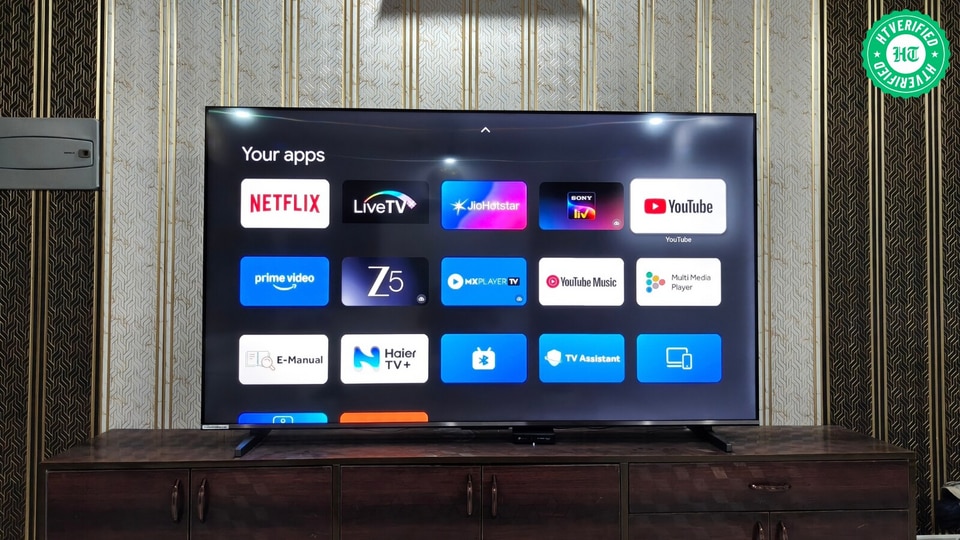

Even from 3.5 metres away, the Haier TV’s sheer size fills the peripheral vision, almost like an IMAX screen. Setting the size aside, the brand claims the P7 Pro's QLED panel reproduces lifelike colours, covering 93% of the DCI-P3 colour gamut, and delivers exceptional contrast. Finally, for speakers, it features a 2.1-channel audio system with a built-in subwoofer and Dolby Atmos, which Haier says delivers immersive, cinema-like surround sound with clarity and depth.
With the three key factors, i.e. screen size, panel, and audio system, addressed, the P7 Pro clearly seems capable of delivering a theatre-like experience in a living room. That said, ₹90,990 is the price to bring the experience home.
Given its cost, judging Haier’s TV on these three factors isn't enough. Other aspects, including the OS and connectivity, also shape the experience. That’s why I spent a month with the P7 Pro to see if it truly brings the cinema experience home while nailing the basics. Here’s what I found:
P7 Pro Display: A cinematic canvas that occasionally breaks the illusion
Anime and Live-action Series:
The P7 Pro largely impressed me with its display quality, though a month of use revealed a quirk that can affect how you see Haier. Before we discuss the quirk in detail, let’s first look at how Haier’s TV performed in terms of colour reproduction.
As an anime fanatic, I watched countless series that lean heavily on a rich, vibrant colour palette on the P7 Pro, and it made an exceptional impression with its rendering capability. I first noticed this during an episode of One Piece, especially when Lord Imu was wreaking havoc in Elbaf.
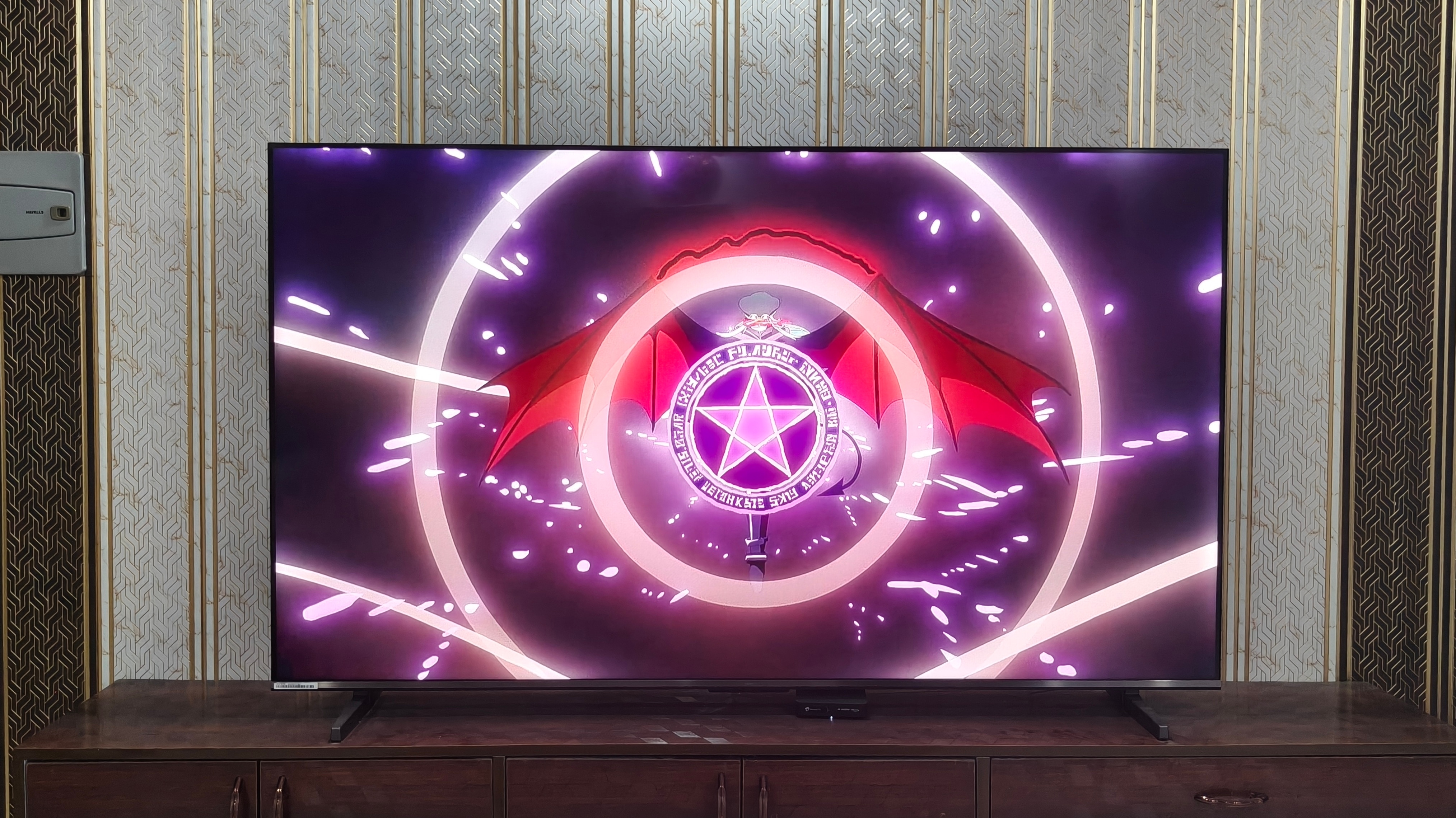
The entire sequence was packed with elements in complex colours, including pale violet red and nebula purple, yet the P7 Pro handled them with mesmerising precision, allowing each to stand out on screen.
This strength was also evident in the final frame of Daemon of Shadow’s opening theme song #2. To paint a picture, the frame features multiple characters in different shades, posing on skylines beneath a sky layered with colours, including magenta red, plum paradise, and pearl. Given how many words I used to describe the scene, you can see how intricate it is. With that in mind, the P7 Pro maintained the distinction between each visual element and kept the vibrancy balanced.
But I want to set the record straight: I made these observations about colour reproduction while watching anime series on Crunchyroll, which primarily streams content in 4K SDR quality.
During my testing, I went a step further and watched Lanterns on JioHotstar in 4K HDR10 with Dolby Vision on the P7 Pro. Needless to say, Haier’s TV also holds up incredibly well in terms of picture clarity and contrast. Whether it was the brightest day or the darkest night, I could make out each character’s distinct features and the scene's overall setting.
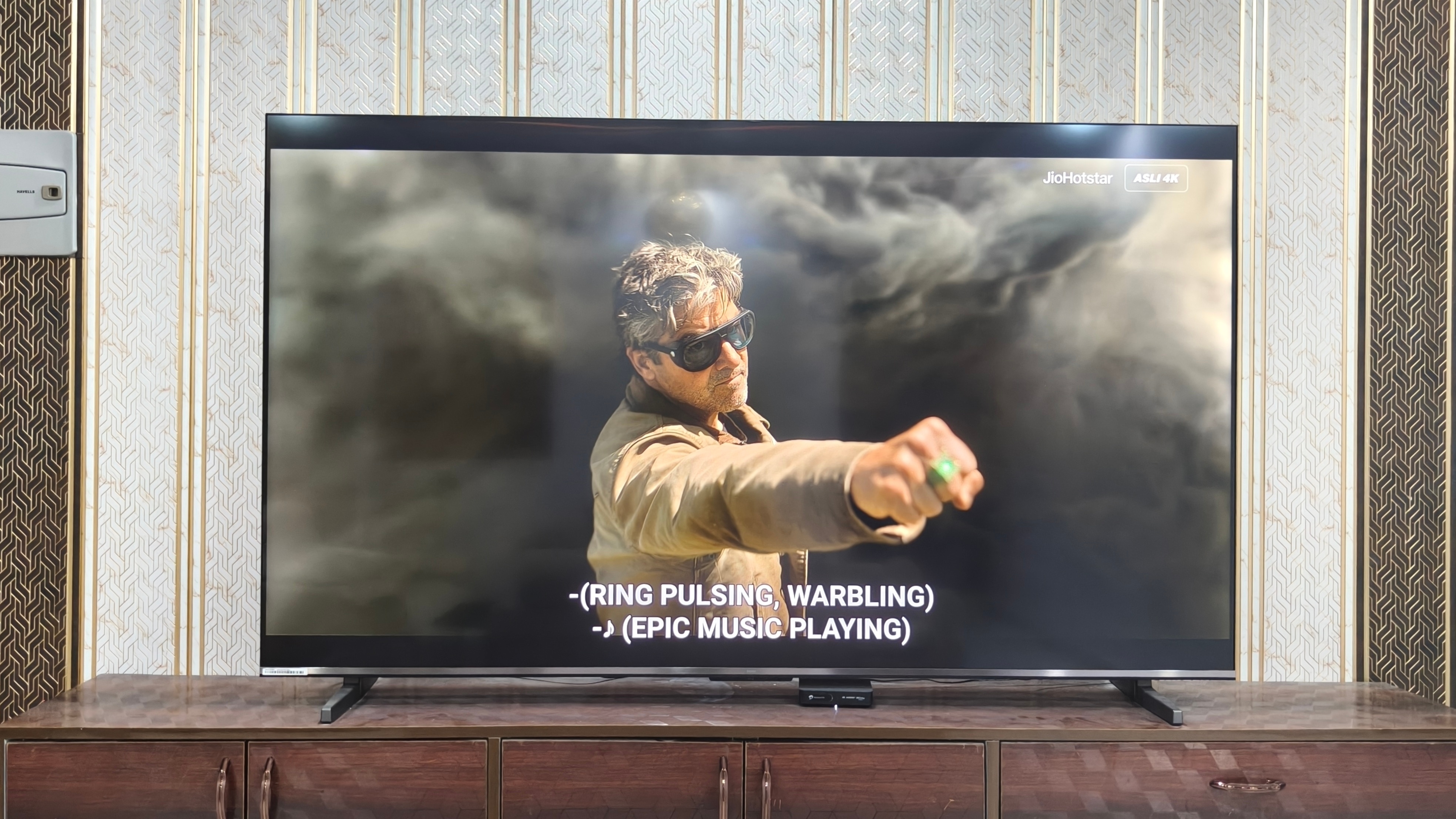
Having said that, whenever a dark scene turned up on screen, I often had to shift my position to avoid reflections from my living room lights and see the details clearly. To be clear, I use four 10W LED roof lights in the room where the P7 Pro is installed. I think it would’ve been amazing if Haier had incorporated a matte-like texture on the display to cut down on reflections without compromising the screen’s brightness.
That aside, I settled on the Movie picture mode for both the anime series and Lanterns. It offered the right balance of brightness and colour, keeping the image vibrant without looking overly processed.
Gaming:
Beyond watching anime series and Lanterns, I played for hours on the P7 Pro with my PS5 connected, and it delivered an equally enjoyable experience. To start, Haier’s TV has 4 HDMI ports that support 4K at 60Hz.
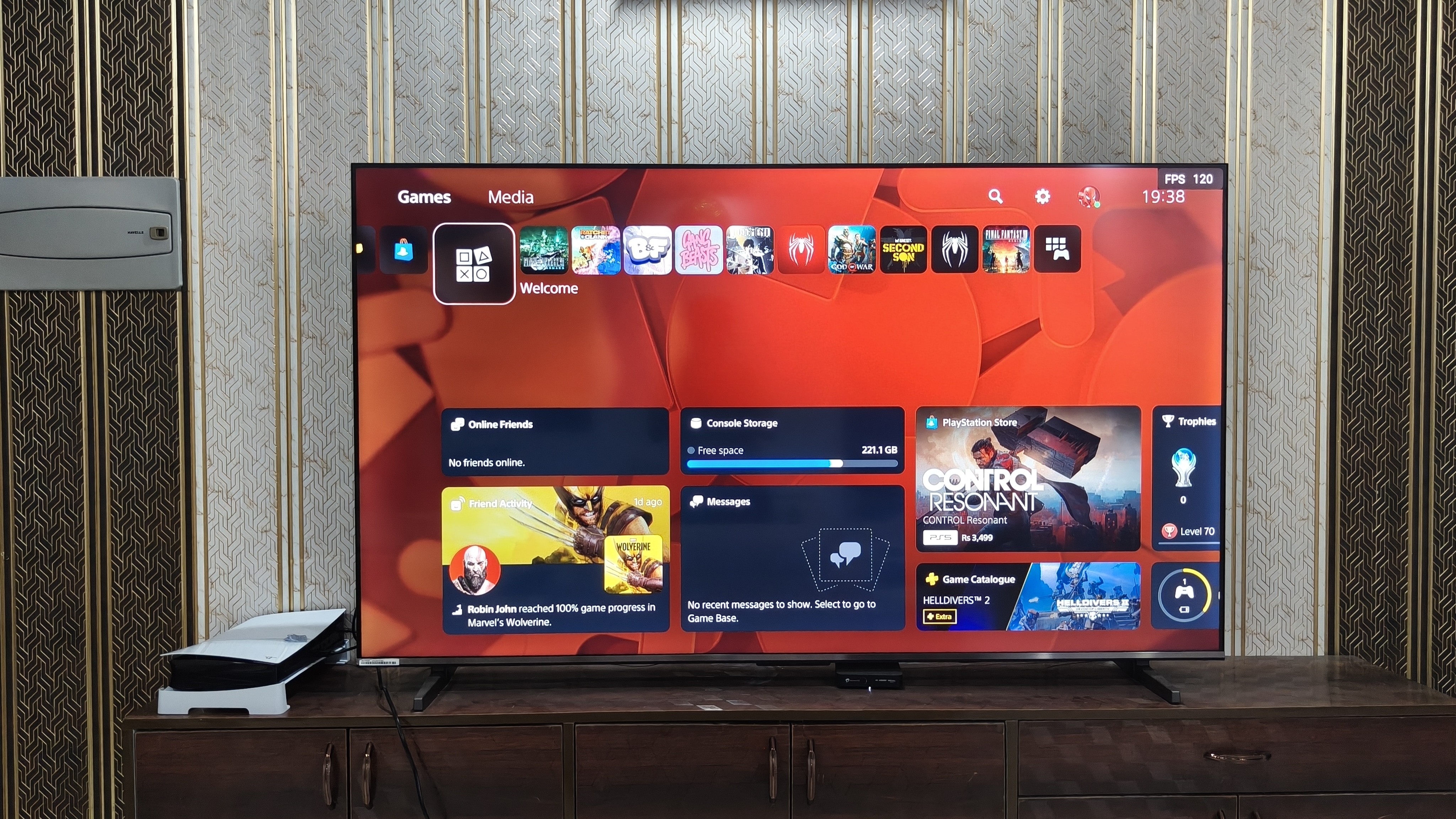
Although that may seem inadequate for true 120fps gaming, the brand has tried to compensate for the lack of native 120Hz support with DLG, and it somewhat works. For those uninitiated, DLG simulates 120Hz-like motion on 60Hz TVs by duplicating frames, but at the expense of resolution and picture detail.
Interestingly, the P7 Pro doesn’t significantly compromise resolution when DLG is enabled. I tested this with Ratchet & Clank: Rift Apart, which supports 120fps gaming in Performance mode. Even with DLG enabled, I never noticed the image becoming noticeably hazy or exhibiting excessive aliasing. Instead, it remained almost as sharp as it was with DLG disabled. The game also appeared noticeably smoother than before, particularly during fast-paced movement.
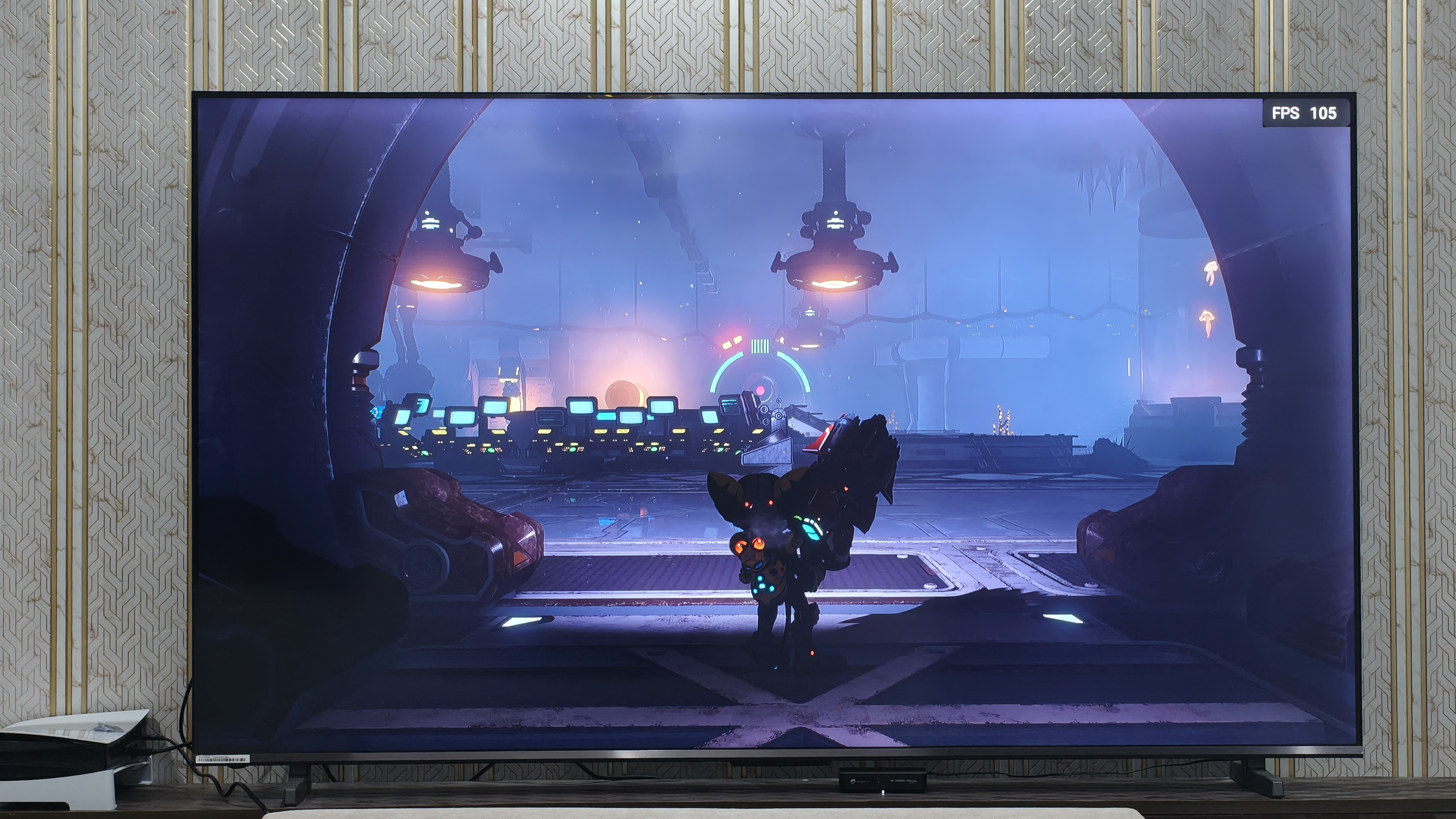
The TV’s gaming bar also displayed a 120fps reading with DLG enabled. However, I wouldn’t trust this figure much, as I have no way of knowing how Haier configured or calibrated the TV’s FPS counter implementation at the factory.
The TV’s gaming bar also showed fluctuations in the frame-rate reading, which is expected with VRR. While I wouldn’t treat the counter as an absolute measure of performance, the absence of screen tearing or noticeable frame-pacing issues suggested that VRR was working as intended.
Speaking of the gaming bar, I didn’t find its overall aesthetic particularly appealing. The implementation, especially the colour scheme, felt rather gaudy. That said, its feature set is quite impressive.
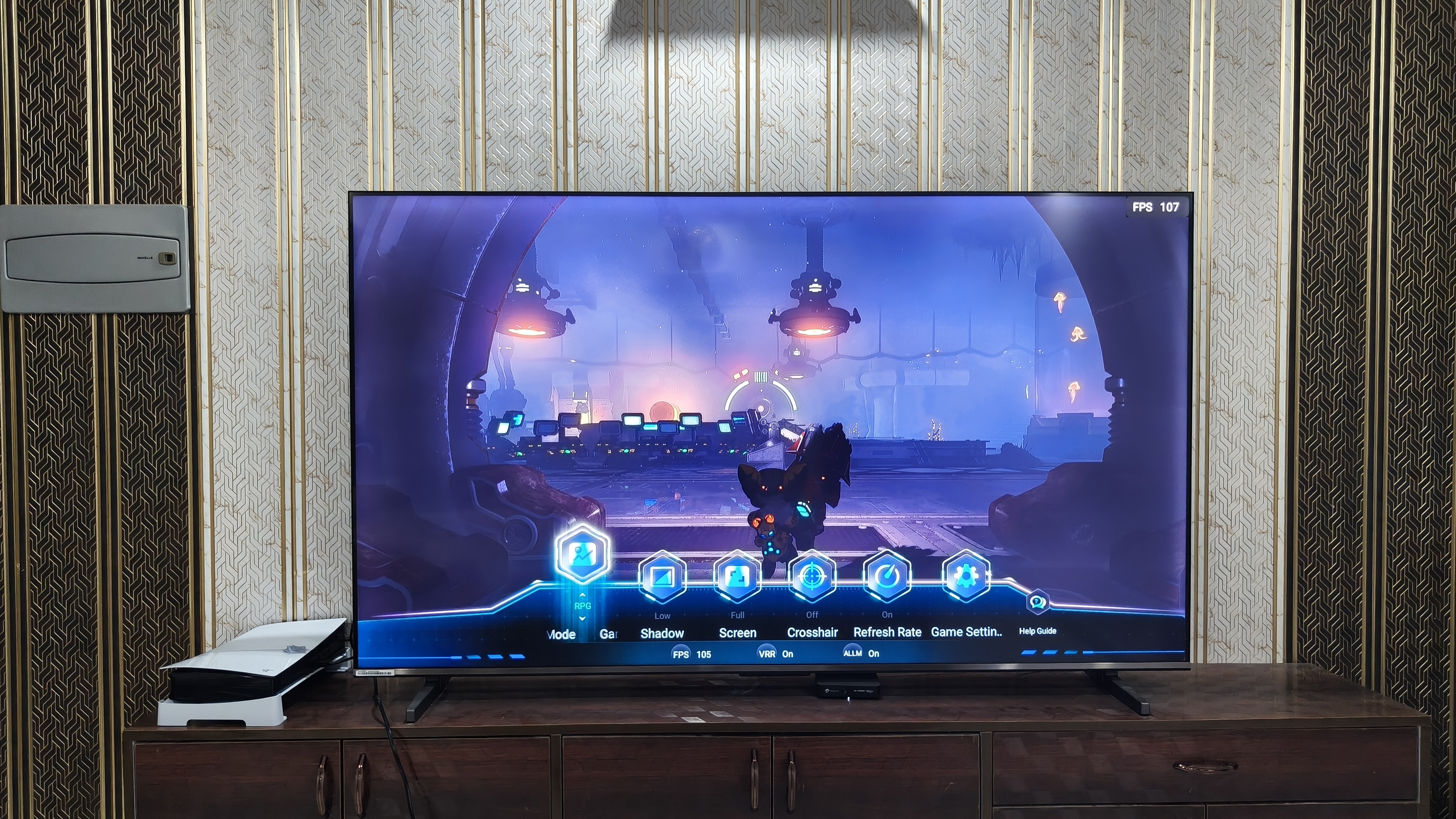
Beyond enabling DLG, it lets you tailor the picture to the game you are playing with genre-specific presets such as RPG. It also lets you adjust shadow levels separately. With the gaming bar, you can also change the screen’s aspect ratio or bring up a crosshair to help with aiming.
Setting Ratchet & Clank: Rift Apart aside, I also spent time playing Judgment on the P7 Pro. The game looked remarkably clear, and spotting clues in its dimly lit environments was easy. The TV’s strong contrast handling preserved detail in darker areas without making the overall image look muddy.
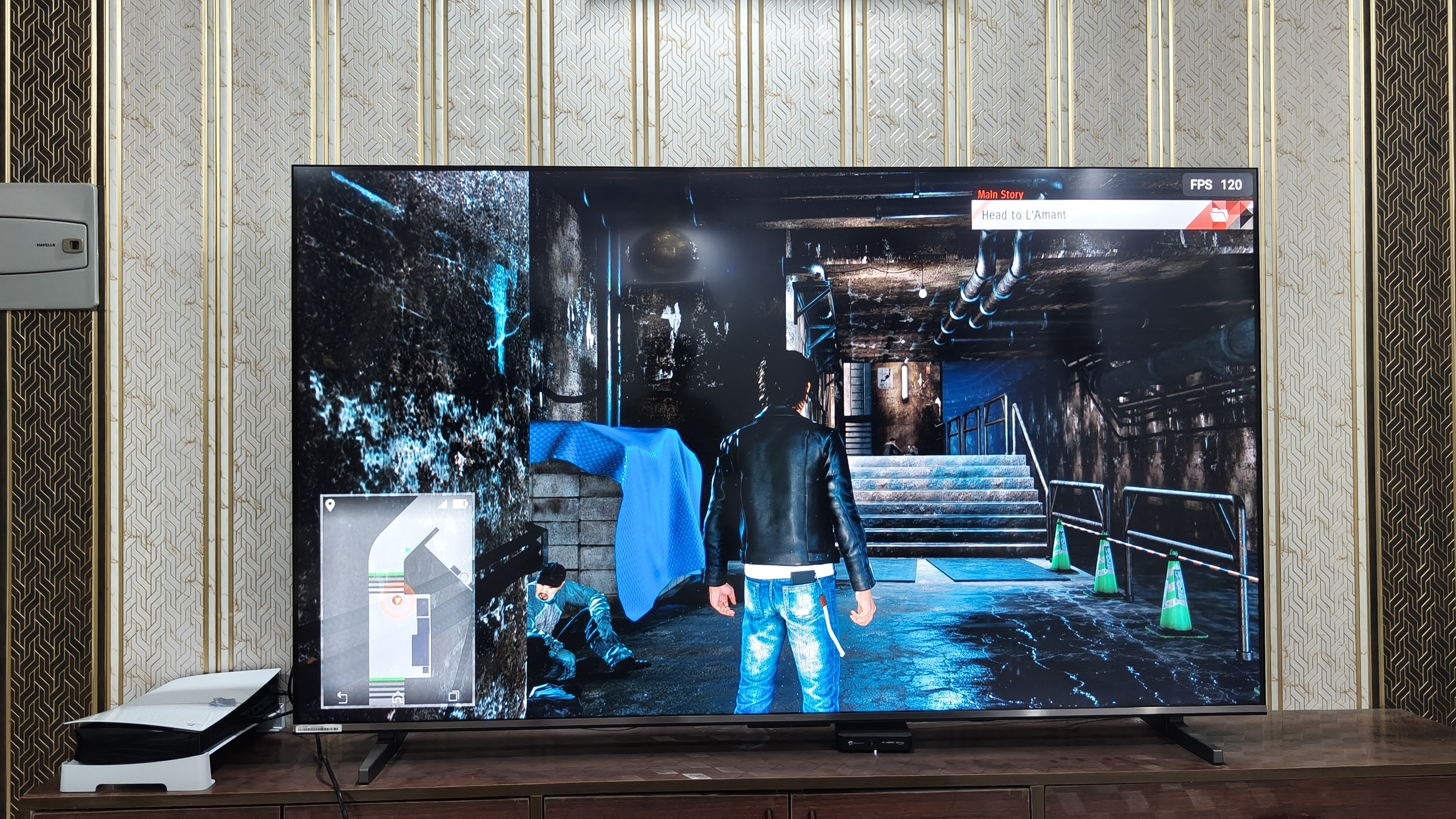
However, I did notice a particular quirk. Whenever I guided Yagami, the game’s protagonist, through a dark sewer, I often noticed a halo around his character against the darker surroundings.
This blooming is an inherent limitation of QLED TVs using full-array local dimming, where light from illuminated zones can spill into adjacent darker areas. Haier hasn’t revealed how many local dimming zones the P7 Pro features. Generally, fewer and larger zones can produce more blooming, while a higher zone count can help minimise it.
P7 Pro Audio: Plenty of cinematic punch, with a few quieter details lost
For audio, the P7 Pro features a 50W, 2.1-channel sound system, with left and right speakers complemented by a built-in subwoofer. I usually watched content on Haier’s TV at around 22 to 25% volume, since going beyond that often earned me a scolding from my parents for the noise. That should give you an idea of how loud this TV can get.
More importantly, it did a commendable job of creating the right atmosphere for each scene, whether it was the eerie ambience of a tense sequence or the impact of an action scene.
I was particularly impressed by how well the P7 Pro handled low-end frequencies. Scenes with strong sound effects delivered the punch they demanded, with explosions, impacts, and other intense moments carrying a satisfying sense of weight.
The mids, particularly vocals and dialogue, were largely good in most scenarios. That said, I occasionally had to turn up the volume to hear exchanges between characters during scenes with explosions or other heavy sound effects, as the pronounced bass could sometimes slightly overlap with the mids.
In scenes without explosion-like sound effects, the high-end frequencies felt decent, and faint character theme songs were easy to hear in these quieter moments. However, they were much harder to hear clearly during SFX-heavy scenes without raising the volume above 35%.
That said, going above this figure may risk the wrath of sound-sensitive neighbours and parents, making it hard to push the volume much higher just to catch those finer details.
By the way, I often listened to content with Dolby Atmos turned off. I felt the audio processing added a slight reverberation I didn’t particularly enjoy, so I preferred the more natural sound with it disabled.
P7 Pro Design and build quality: A sleek centrepiece ready for its close-up
The P7 Pro looks as minimalist and premium as a TV can be. On the front, Haier cleverly hides the left, right and top bezels behind the display’s glass pane, giving the TV an almost bezel-less appearance from a distance. To be clear, a closer look reveals that these three bezels remain visible and moderately thick.
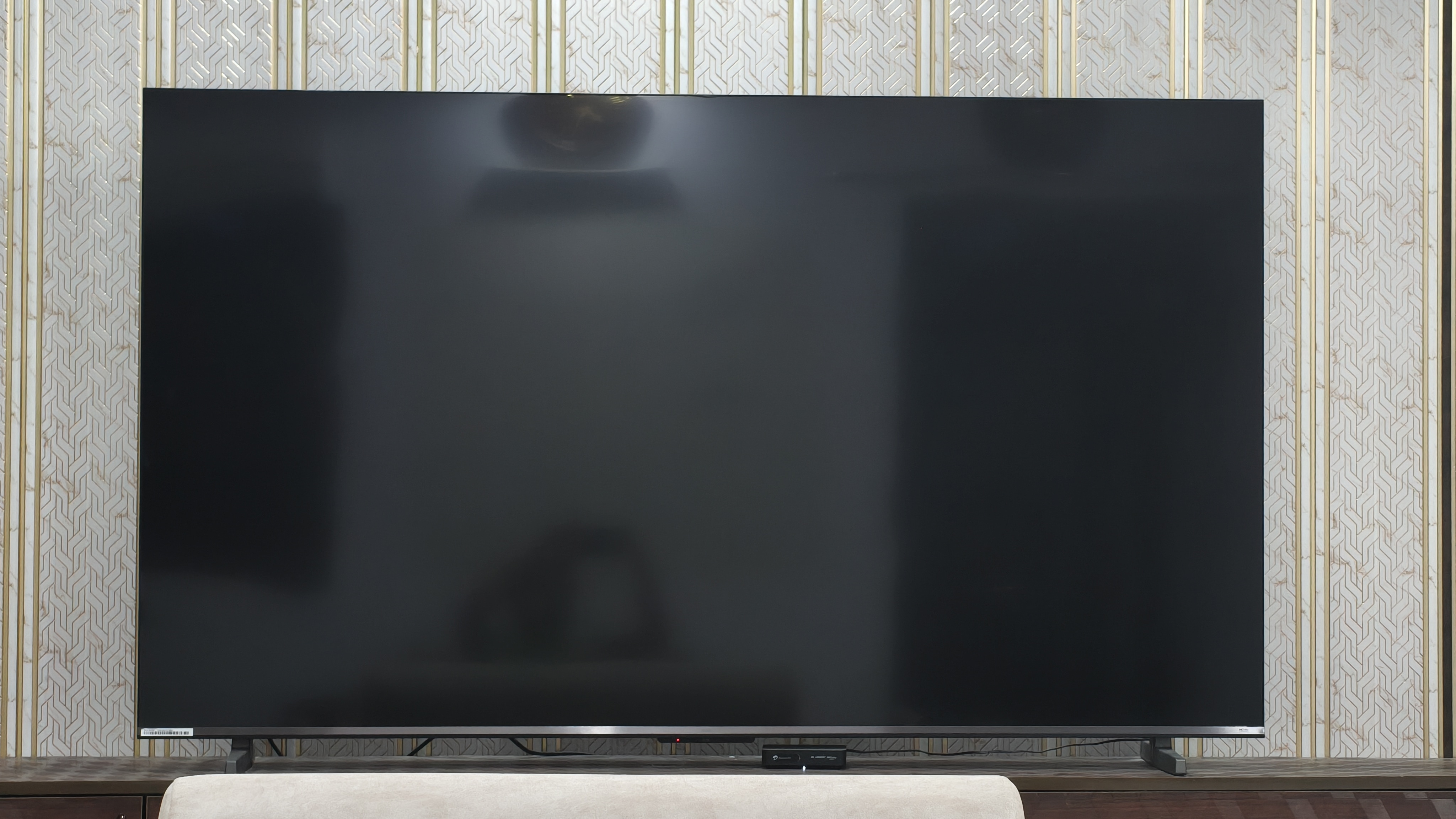
Adding to the premium look, Haier also uses a chrome-like finish along the bottom bezel and subtly places its branding there, giving the front a refined look without feeling overly flashy.
On the back, Haier keeps the right side of the P7 Pro clean while placing all the connectivity options on the left. These include:
- 4 x HDMI 2.1 ports, with HDMI 1 supporting eARC/ARC
- 2 x USB 2.0 ports
- 1 x Optical Digital Audio Out
- 1 x 3.5mm headphone jack/audio output
- 1 x Ethernet LAN (RJ-45) port
- 1 x RF input (analogue coaxial port)
- 1 x Composite Video Input
Compared to the Sony Bravia 3 II, which I previously reviewed, I find the P7 Pro more convenient and intuitive when it comes to accessing the ports.
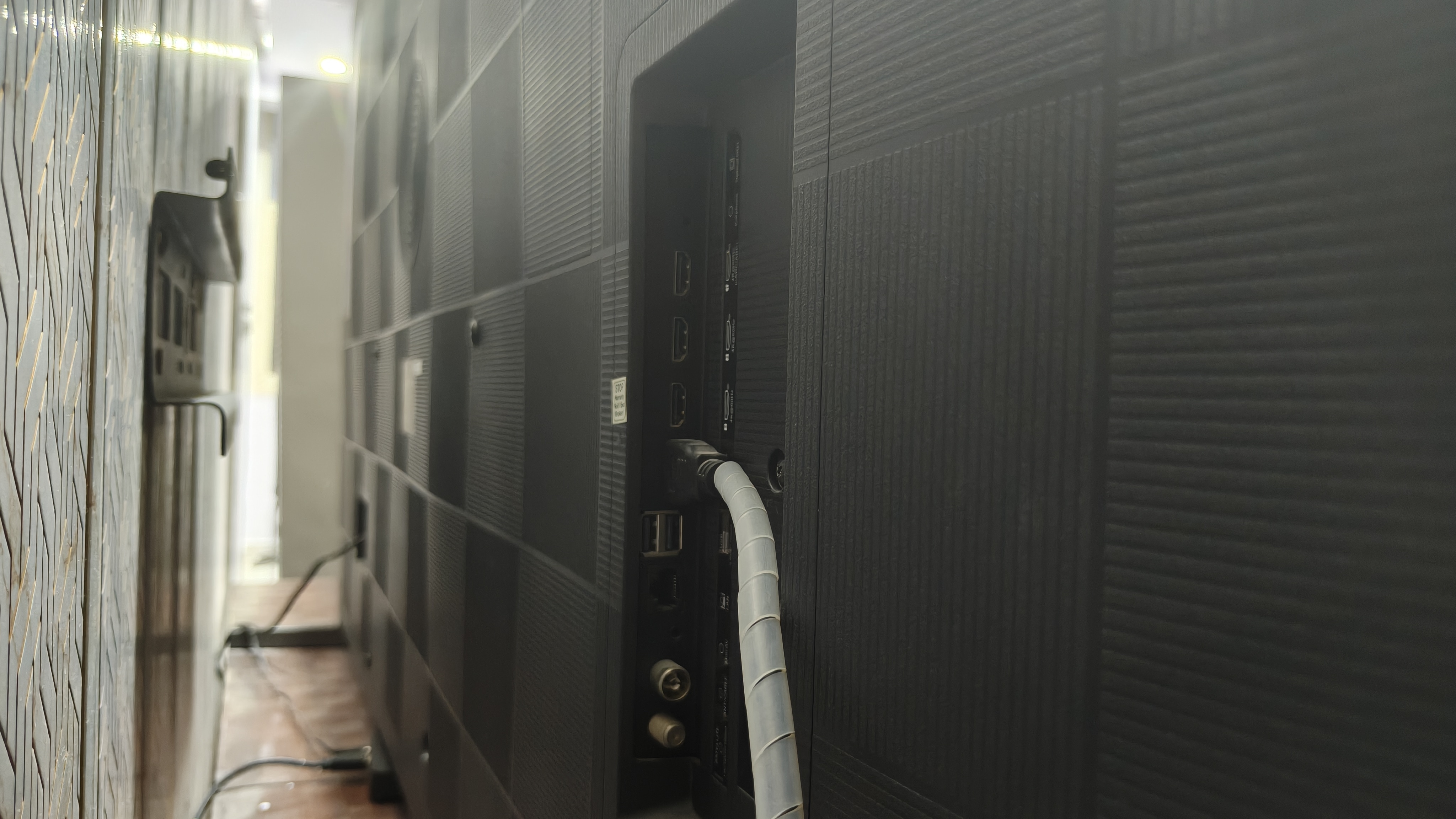
For those who care about the aesthetics of a TV’s rear panel, Haier has kept this area clean, too. The entire surface features a grid-like pattern, with a circular perforated section for the built-in subwoofer at the centre.
In my living room, I placed the P7 Pro on its bundled stands rather than mounting it on the wall. The stands look premium, thanks to their dark metallic finish. Haier hasn’t specified the material, but they feel sturdy enough for everyday use.
While the stands remain firmly planted on the surface, I was slightly concerned by how much the TV wobbled when I gently pushed it from the front or back. The installation engineers assured me there was no reason to worry, saying Haier had accounted for this in the design. Even so, I still had reservations about the stability.
P7 Pro Remote: Slim, stylish and not without a few surprises
The P7 Pro’s remote is largely impressive, though it has a few caveats. Its silver finish looks great, complemented by a matte texture that feels premium,
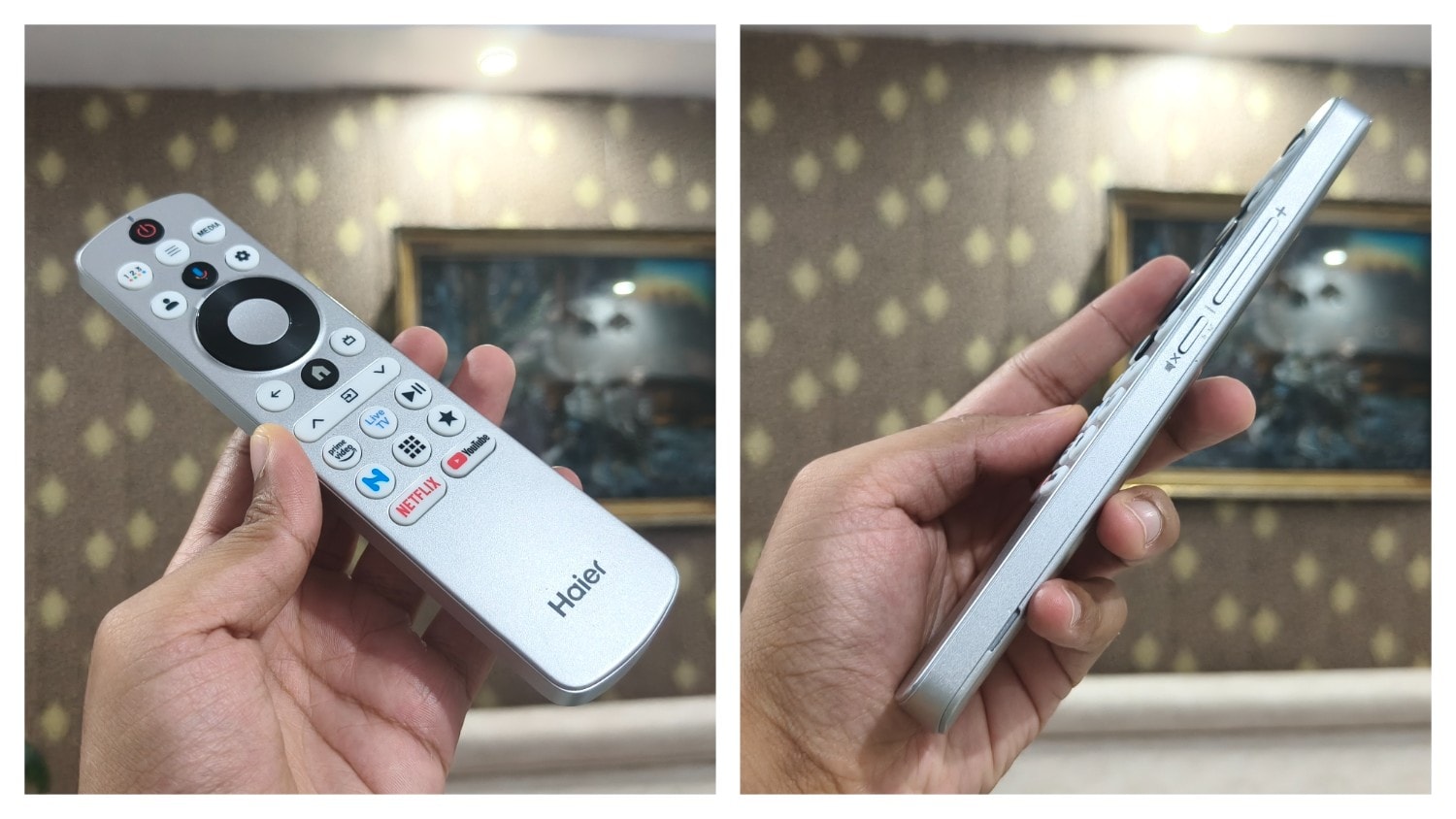
Because Haier omitted the number pad, the remote has a slim profile that makes it comfortable and easy to hold.
In terms of button placement, Haier has made an unusual choice, moving the volume and mute controls from the top to the right side of the remote. The volume buttons are designed like a smartphone volume rocker, with the mute button positioned just below them.
What I didn’t like, however, was the button placement near the upper edge of the remote’s top surface. For someone like me with smaller hands, reaching all the buttons comfortably isn’t easy. I often had to shift the remote forward or backwards in my hand to reach different controls.
That said, Haier's approach to the top buttons is quite thoughtful. The navigation and OK buttons have a different texture and feel from the rest, making them easy to identify by touch without looking.
P7 Pro Performance and software: Google TV keeps things mostly smooth
The P7 Pro seems to prefer taking the scenic route before getting down to business. After plugging it in and pressing the TV’s power button, it took about 42 seconds to fully power on. Once it was up and running, however, the overall experience was largely smooth.
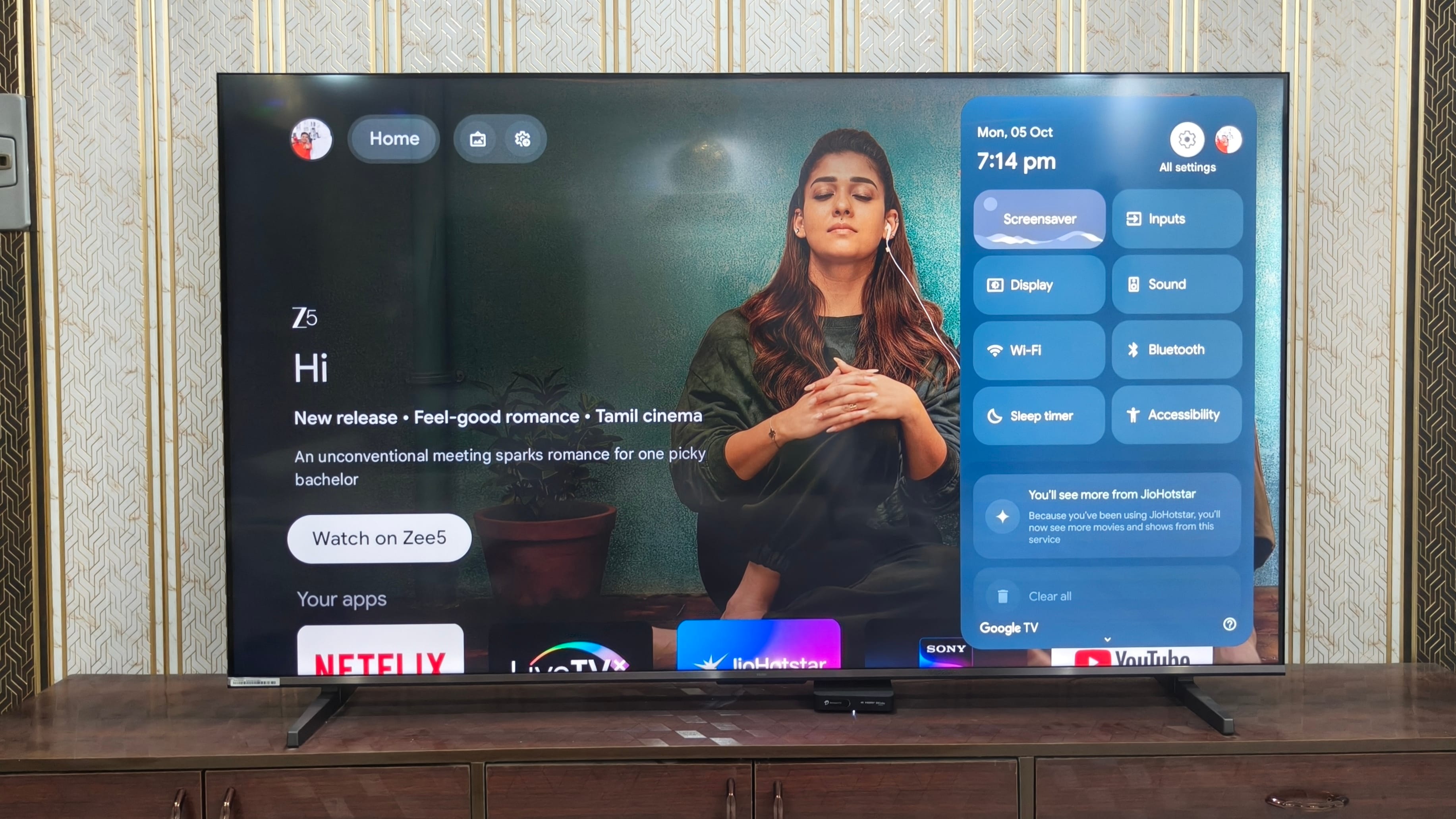
The TV runs Google TV, providing access to a wide selection of apps via the Google Play Store. During my time with the P7 Pro, opening apps, navigating menus and browsing for content felt reasonably responsive. I did notice occasional minor stutters, particularly when switching between input sources, but they were brief and didn’t significantly affect the overall experience.
Beyond the usual smart TV experience, Haier has added its own Haier TV+ app, which lets users stream select news and TV channels in 4K quality for free. It is a useful addition for those who want more content without relying entirely on third-party streaming services.
Haier has also included a BT Speaker mode, which turns the P7 Pro into a Bluetooth speaker. You can connect a smartphone, tablet or laptop to the TV and stream audio through its speakers, which is handy when you simply want to listen to music without using the TV’s regular interface.
P7 Pro Connectivity: Broad support with an occasional connectivity detour
On the connectivity front, the P7 Pro includes Haier’s HaiCast for screen mirroring. I managed to stream content from my smartphone to the TV without any issues, but couldn’t get the same functionality to work with my MacBook. Haier may not include Apple devices on its list of supported devices for HaiCast.
Throughout my testing, the TV remained connected to my home Wi-Fi network, and I never experienced particularly slow network speeds. However, one issue repeatedly caught my attention. After switching on the power at the plug and pressing the TV’s power button, the P7 Pro would often display an error message saying it couldn’t connect to my Wi-Fi network.
What made this particularly odd was that the settings page sometimes showed that my Wi-Fi connection had no internet access, even though my phone and MacBook, connected to the same network, continued to work normally. The issue didn’t seem to affect my other devices, which made the TV’s behaviour hard to explain.
That said, after I left the TV idle for about 15 minutes, it displayed another notification confirming it had successfully connected to the Wi-Fi. Although the connection eventually restored itself, the delay was still unusual and could be frustrating when you want to start streaming content immediately.
Quirk:
The light bleeding on my Haier P7 Pro review unit didn’t detract much from my overall experience. However, encountering this display issue did take away from what was, overall, a positive experience. I hope Haier takes this feedback in the right spirit and works to solve light bleed in future iterations (a common issue across rivals as well). The P7 Pro already gets many things right, and addressing these issues could help the brand deliver a more consistent experience.
Verdict:
The Haier P7 Pro makes a strong case for bringing the cinema experience home. Its 75-inch QLED display delivers vibrant colours, strong contrast and impressive clarity, while the 50W 2.1-channel audio system adds satisfying bass and enough punch for action-packed scenes. Gaming is also enjoyable, with DLG, VRR and useful picture controls adding flexibility. However, reflections can affect dark scenes, blooming is visible in some situations, and the TV occasionally takes a while to connect to Wi-Fi. The software experience is mostly smooth, though boot times are lengthy. Even with these caveats, the P7 Pro gets the essentials right and delivers an immersive, easy-to-enjoy big-screen experience.
| Category | Positive Findings | Areas for Improvement |
|---|---|---|
| Display & Picture | • Vibrant, accurate colors (93% DCI-P3) in SDR and HDR
• Crisp detail in 4K HDR10 and Dolby Vision
• Natural presentation in Movie picture mode
| • Highly reflective glossy screen in ambient light
• Noticeable blooming around bright objects in dark scenes
• Visible light bleed on the panel
|
| Gaming | • DLG provides smoother 120Hz-like motion with minimal sharpness loss
• Functional VRR with no tearing or frame pacing flaws
• Game Bar offers genre presets, shadow tweaks, and crosshairs
| • Native refresh rate capped at 60Hz
• Game Bar UI styling looks gaudy
• Fluctuating on-screen FPS counter lacks calibration clarity
|
| Audio | • • 50W 2.1-channel system with built-in subwoofer gets loud, hitting 83.3 dB in the decibel meter at full volume.
• Solid low-end impact for action effects and explosions
• Clear dialogue during quiet passages
| • Heavy bass occasionally masks dialogue during intense scenes
• Treble details can get lost below 35% volume
• Dolby Atmos introduces noticeable reverberation
|
| Design & Build | • Sleek front styling with minimal-looking bezels
• Clean back panel with convenient, side-facing port placement
• Sturdy dark metallic feet
| • Bezels appear thicker upon closer inspection
• Screen wobbles noticeably when nudged on its tabletop stands
|
| Remote Control | • Slim profile with matte silver finish
• Tactile, textured navigation and OK buttons
• Smartphone-style side volume and mute rocker
| • Buttons near the top edge are hard to reach with small hands
• Lacks a traditional numeric keypad
|
| OS & Performance | • Responsive Google TV navigation and broad app availability
• Useful additions like Haier TV+ free channels and BT Speaker mode
| • Long cold boot time (~42 seconds)
• Occasional minor stutter when switching input sources
|
| Connectivity | • Smooth wireless screen mirroring from mobile via HaiCast
• Stable Wi-Fi performance once linked
| • Frequent Wi-Fi connection delays (up to 15 minutes) after cold boot
• HaiCast does not support macOS / MacBook mirroring |
TV Evaluation:
| Test Area | Simple Measurement | What Happened | Score (/10) |
|---|---|---|---|
| Daylight & Reflections | TV brightness vs. Room brightness | Needs to shift position to avoid reflection and see details clearly, that too in an ambience with four 10W LED roof lights turned on | 7.5/10 |
| Sports & Fast Action | Fast motion check | Smooth ball tracking | 9/10 |
| Standard Video Quality | 720p/1080p stream | Clean picture with occasional halo effect in certain scenarios | 8/10 |
| Dialogue & Sound | Whisper test & high volume check | Strong bass adds punch, while mids and highs remain clear in quieter scenes. | 8/10 |
| Side-Seat Viewing | 3 steps to the side (TV) | Colors hold up well | 8.5/10 |
| Everyday Convenience | Boot time: 42 sec | Sync: mostly smooth | Easy navigation, versatile features, and convenient content access | 9/10 |
Final Verdict: HT Verified Recommended (Scores Above 7.5 Qualify)
Overall score: 8.3 / 10
Specification | Details |
|---|---|
| Price | 99,990 rupees |
| Display Size and Aspect Ratio | 75-inch, 16:9 |
| Display Panel | QLED |
| Refresh Rate | 60Hz |
| Resolution | 3840 × 2160 pixels (4K) |
| Processor | Haier’s proprietary AiPQ |
| Gaming-related Features | ALLM, VRR, DLG |
| RAM and Storage | 2GB RAM, 32GB storage |
| Weight | 32kg |
| Thickness | 77mm |
| Ports | 4 x HDMI 2.1 ports, with HDMI 1 supporting eARC/ARC; 2 x USB 2.0 ports; 1 x Optical Digital Audio Out; 1 x 3.5mm headphone out; 1 x 3.5mm headphone input; 1 x Ethernet LAN (RJ-45) port; 1 x RF input (analogue coaxial port); 1 x Composite Video Input |
| Connectivity | Bluetooth 5.1, Wi-Fi 5 |
iQOO Z11 5G review: Doesn't win every battle, but somehow wins you over
Sony Bravia 3 II review: A picture-first TV that rarely puts a foot wrong
FAQs

Disclaimer: At Hindustan Times, we help you stay up-to-date with the latest trends and products. The review unit was provided by Haier for a period of one month for the purpose of this review and will be returned to the brand after the review period. Our review and opinions are based on our experience with the product during this testing period.


